Some members train independently but still need occasional explanation. Others want to log food without searching for every product. Full personal coaching does not always match their needs or budget.
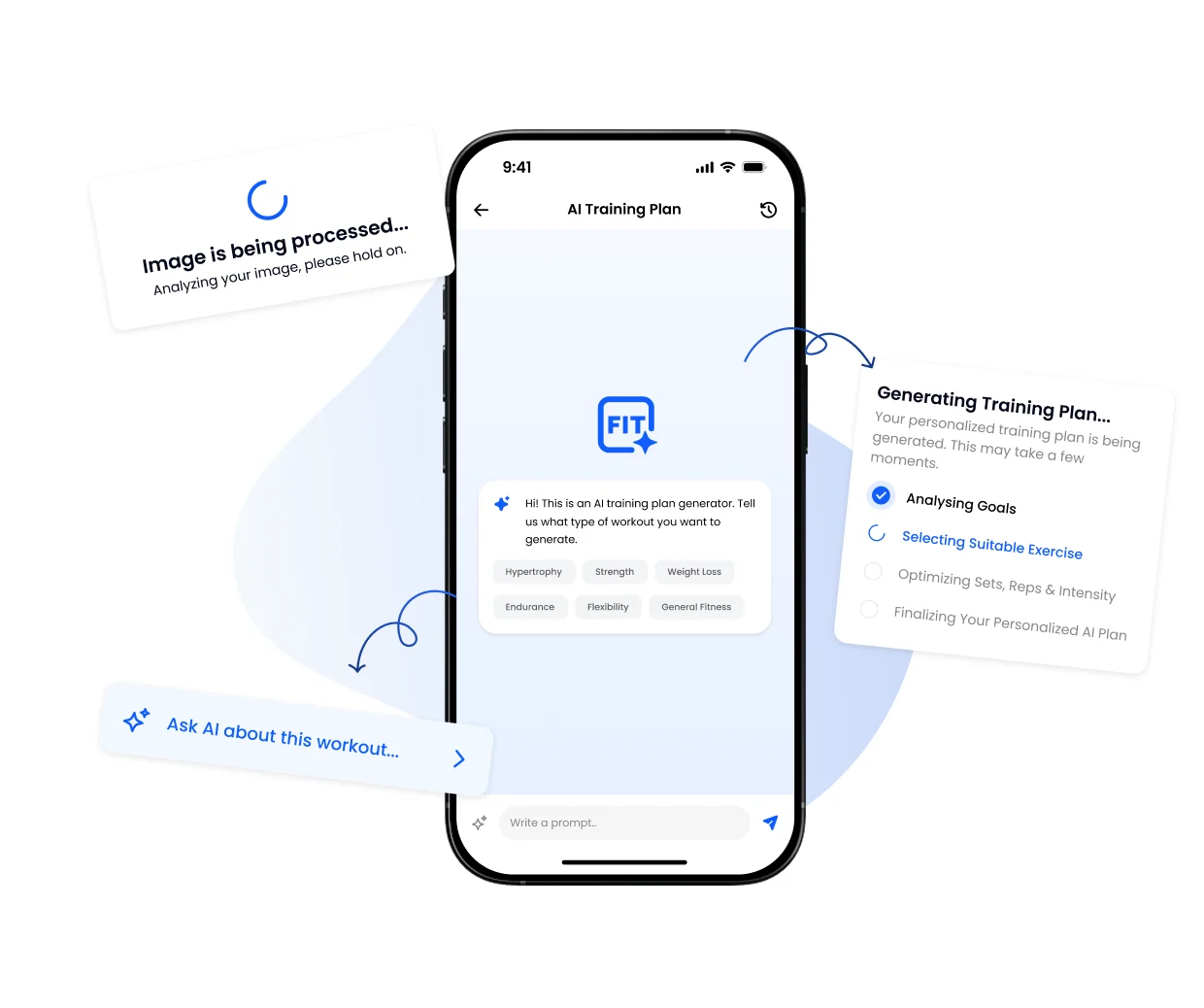
An additional digital offer can sit between basic access and intensive coaching. With active Client AI access, members can create training plans, ask questions about exercises or workouts and log food from a photo or text. Food recognition creates a suggestion that the member can review and edit.
The commercial question is about more than the price. You need to define what is delivered, which support is included and what remains after licence costs, support time and movement from existing packages.
Start with how members use AI for training plans and workout questions if you have not reviewed the functionality yet.
Decide who the offer is for
A useful starting group is members who can train independently but want more structure than gym access alone. It may also suit online clients who want training and food logging in one app without intensive coaching.
Write one boundary sentence before setting a price:
You receive Client AI access for training plans, workout questions and food logging. Once a month, we review your use and open questions for up to 15 minutes.
This is an example. Make clear what is and is not included. AI is not a replacement for a coach, camera assessment, medical advice or dietetic treatment.
Three ways to package Client AI
| Model | What the member receives | Best fit | Watch out for |
|---|---|---|---|
| Optional add-on | Client AI alongside the existing membership | Members have different support needs | Record opt-in, start date and end date clearly |
| Premium membership | Client AI bundled with other specific benefits | You already use clear membership tiers | Name every benefit; avoid a vague “premium” label |
| AI + coach check-in | Client AI plus a fixed, limited personal review | Human follow-up is part of the promise | Define frequency, duration, channel and response time |
These are offer designs. FITsociety does not automatically create a paid member product or upgrade a membership for you. Set up pricing, consent and member billing through your own controlled sales and membership process.
Check your current FITsociety costs
The licence settings show the Client AI users included in your package, active users, the price per additional user and the total Client AI cost. These values may differ by package or pricing agreement.
Always use the current figures from your own licence overview. Also check the effective date and next billing date. When access is switched off, it may remain active until the end of the current billing period.
Calculate more than revenue
Use these fields for one month:
| Input | Your value |
|---|---|
| Paying participants | ... |
| Selling price per participant, excluding VAT/tax | € ... |
| Additional Client AI cost from your licence overview | € ... |
| Payment and refund costs | € ... |
| Support hours × internal hourly cost | € ... |
| Lost contribution from switching out of a higher-priced offer | € ... |
Then calculate:
- Incremental revenue = paying participants × price excluding VAT/tax.
- Direct contribution = incremental revenue − Client AI cost − payment/refund cost − support cost.
- Net effect = direct contribution − contribution lost when existing clients switch from a more expensive offer.
This is a decision model, not a profit guarantee. Include fixed business costs separately when assessing whole-business profitability.
Keep support from consuming the margin
“Questions to a coach included” can sound unlimited. Make it measurable: one monthly review, for example, or responses to collected questions within a defined time. State which topics fall outside the package and require separate coaching.
During the pilot, track more than activations:
- how many members actually use the feature;
- which parts they use;
- how much support time the team spends;
- how many continue, cancel or switch packages;
- which questions repeat and where the explanation needs work.
Start with a voluntary pilot
- Select a small group with a recognisable need.
- Explain the offer, price, duration, support and cancellation point in writing.
- Check Client AI availability and activate only participating members.
- Record assumptions about usage, support time and cancellations before the start.
- Review actual revenue, costs and experience after one full period.
- Adjust the offer before expanding it.
Frequently asked questions
Can FITsociety automatically sell the paid upgrade to a member?
The Client AI settings described here manage access and licence costs. They do not prove an automatic sale or paid upgrade for your members. Use your own verified sales and billing process.
What price should I charge members?
There is no universal price. Start with your current Client AI cost, promised support, other variable costs and value for your audience. Test voluntarily and measure the net effect.
Is revenue the same as profit?
No. Deduct licence costs, payment/refund costs, support time and any movement from existing packages. Include fixed costs when assessing business profit.
Does Client AI replace personal coaching?
No. It can support independent use and explanations. Personal observation, programming decisions and professional guidance remain separate parts of the offer.
Explore AI food recognition, personal training software and online coaching software, or request a demo.