

Progress photo tracking, done right, is a coach-facing workflow: clients submit photos tied to their profile, and coaches review them alongside check-ins to guide program decisions. The single rule that separates useful photo tracking from a folder of random selfies is consistency. Same angles, same lighting, same clothing, same time of day, every time. Platforms like FITsociety build this into the client record itself, so photos live next to weights, measurements, and check-in notes instead of buried in a camera roll.
TL;DR:
- Consistent angles, lighting, clothing, and timing are essential for photos to accurately track visible changes and support client motivation.
- Monthly formal photos combined with weekly light check-ins provide a balanced cadence that encourages adherence without overwhelming clients.
- Photos should be stored within the same platform as training and measurement data, with automatic tagging and a clear timeline for effective review.
- Obtaining explicit consent and restricting access are critical to maintaining client trust and protecting sensitive photo data.
- Combining visual progress with performance metrics and adherence data leads to more reliable assessment and better-informed coaching adjustments.
Why Coach-Facing Progress Photo Tracking Matters
A scale tells you almost nothing about a client who is losing fat and building muscle at the same time. That client’s weight might barely move for six weeks while their waist shrinks and their shoulders fill out. Progress tracking pictures catch what the scale misses, especially for recomposition and strength clients where the visual change outpaces any single number.
Photos also do something metrics can’t: they give clients a reason to keep showing up. A client who sees a side-by-side comparison after eight weeks of consistent training gets a different kind of motivation than one who just sees a spreadsheet. That visual proof tends to support better adherence, and adherence is what actually drives results over months, not weeks — making effective Gym SEO Services essential for attracting and retaining motivated clients.
Cadence matters more than most coaches assume. Monthly formal photos, taken under consistent conditions, are generally more motivating for clients than daily or weekly snapshots, according to TrainersVault’s coaching metrics guide. Weekly photos taken casually tend to introduce noise (lighting shifts, bloating, posture differences) that makes month-to-month comparison harder, not easier.
Pro Tip: Resist the urge to add more tracking variables before your clients have mastered the basics. A three-tier structure, intake photos, monthly formal photos, and weekly lightweight check-ins, is easier to sustain than a system with five moving parts nobody keeps up with.
The best system is the one that survives week six. A minimal structure your clients will actually follow beats an elaborate one they abandon after a month, which is the core finding behind TrainersVault’s tracking-consistency research.
What photos accomplish that a scale can’t:
- Show muscle definition and posture changes independent of body weight
- Reveal fat redistribution during recomposition phases
- Give clients tangible proof during plateaus when the scale stalls
- Create a visual record coaches can reference during retention conversations
Checklist and Templates for Collecting Consistent Progress Photos
Standardizing the input is what makes the output usable. Send this checklist to every new client during onboarding, and pin it inside their portal for reference.
The Photo Standard: Angles, Lighting, Clothing
- Three angles, every session. Front-facing, side profile, and back view. Skipping the back angle is the most common gap coaches report, and it’s often where recomposition shows up first.
- Neutral, form-fitting clothing. Same outfit each time if possible. Baggy clothes hide the exact changes photos are meant to reveal.
- Fixed distance and framing. Full body, head to feet, camera at chest height. A taped mark on the floor works better than “about six feet back.”
- Same time of day. Morning, before eating, ideally right after waking. Hydration and food intake shift how a body looks within hours.
- Consistent lighting. Natural daylight near a window beats harsh overhead bulbs or bathroom fluorescents, which distort shadow and skin tone.
Cadence and Submission Rules
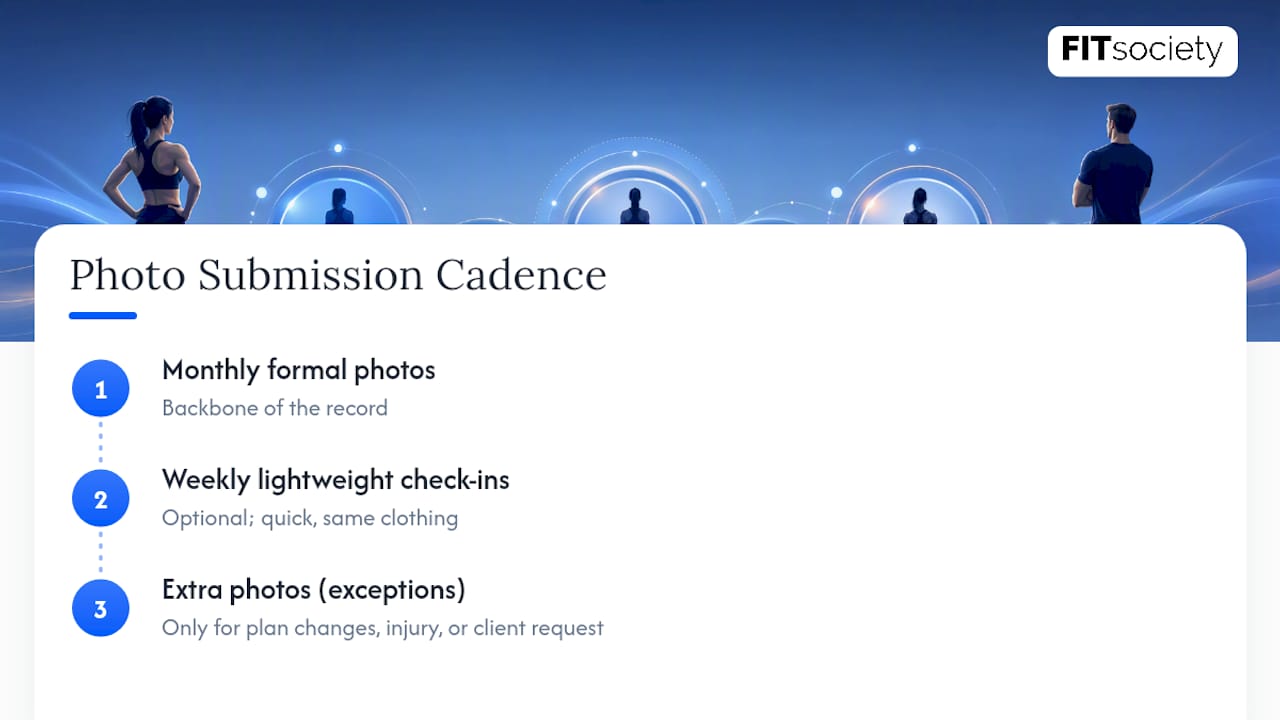
Monthly formal photos form the backbone of the record. Weekly lightweight check-ins, quick, no-frills, same clothing, are optional but useful for clients who want more frequent feedback without overloading the formal comparison set. Ask for extra photos only around plan changes, injury flare-ups, or a client’s specific request, not as a default add-on.
Uploads should route through the client’s in-app gallery rather than email or text, which fragments the record and creates consent gaps. File naming should follow a simple pattern: client initials, date, angle (e.g., “JD_2026-03-01_front”). Scheduled reminders through the coaching platform, timed to the client’s check-in day, cut down on missed submissions far more reliably than a coach manually texting clients each month.
Tagging, Linking, and Surfacing Photos During Reviews
A photo without metadata is just an image. A photo tagged with date, program phase, and check-in ID becomes a searchable data point.
Coaches managing more than a handful of clients need to pull up “all photos from the strength block” or “everything since the diet reset” without scrolling through a camera roll. That’s a metadata problem, not a photo problem. Tag each upload at the point of submission, ideally automatically, so photos aren’t sitting in an untagged queue by the time a review rolls around.
The bigger win comes from correlating photos with objective data in one timeline. A client’s photo from week 12 means more sitting next to their squat numbers, waist measurement, and adherence percentage from that same week than it does alone. This is where pairing photos with training logs actually earns its keep: a leaner-looking photo can hide a week of missed hard sets, and a flat-looking photo can hide real strength gains. Cross-referencing prevents coaches from drawing the wrong conclusion from appearance alone.
FITsociety supports this kind of integrated workflow by linking progress tracking, check-ins, and client profiles inside one dashboard, so photos sit alongside the same client’s training and nutrition history rather than in a separate app.
What a well-built photo workflow needs from the platform layer:
- Automatic tagging by date and check-in cycle at the moment of upload
- A single client timeline that shows photos next to weights, reps, and measurements
- Coach annotation fields for notes visible only to staff
- Scheduled reminders tied to each client’s specific check-in cadence
If your current setup has photos in one app, training logs in a spreadsheet, and check-ins in a group chat, the fix usually isn’t more tools. It’s consolidating those scattered pieces into one platform.
Privacy, Consent, and Safe Storage: An Operational Checklist
Client photos are sensitive data, and treating them casually is a fast way to lose trust. Build consent into intake, not as an afterthought:
- Get explicit written consent at intake, with a clear opt-out that doesn’t affect the client’s ability to train with you.
- Store photos in access-controlled folders or a platform gallery, never in a shared drive or personal camera roll.
- Set a retention policy and stick to it. Don’t keep photos indefinitely “just in case.”
- Restrict exports and external sharing unless the client has explicitly approved that specific use.
- Train staff on who can view client photos and how to remove content immediately if a client requests it.
Sample consent language for intake forms: “I consent to submitting progress photos to my coach for tracking purposes. These photos will be stored securely and will not be shared outside my coaching relationship without my written permission.” Keep a record of when consent was given and revisit it if you ever plan to use a photo for marketing, that requires separate, explicit permission every time.
How to Review Photos: Monthly Checklist and KPIs
A monthly review isn’t just flipping through pictures. It’s a structured comparison against the data sitting right next to them.
- Pull the last three to four monthly photos side by side, not just the most recent versus the first.
- Note visible changes in posture, muscle definition, and body composition, and write them down in the client’s file.
- Cross-reference with load progression and adherence. Did strength numbers move? Did the client actually complete their sessions?
- Check subjective markers like energy and sleep quality alongside the visual and performance data.
- Make a call: progress, hold steady, or adjust nutrition and programming based on the combined picture.
KPIs worth tracking alongside every photo set include training adherence percentage, load progression on key lifts, circumference changes at two or three landmarks, and session attendance. Circumference measurements paired with photos and performance data form a more reliable read than any single metric alone.
Pro Tip: If photos show change but performance metrics are flat, dig into recovery and adherence before touching the training program. The mismatch is often sleep or missed sessions, not the plan itself.
How FITsociety Supports Integrated Progress Photo Tracking
FITsociety is community-driven fitness software built with input from personal trainers, online coaches, and studio owners, and progress tracking sits alongside client admin, intake forms, check-ins, and scheduling in one dashboard rather than across separate apps. Coaches work from a central dashboard while clients submit updates, including photos, through their own portal and mobile app.
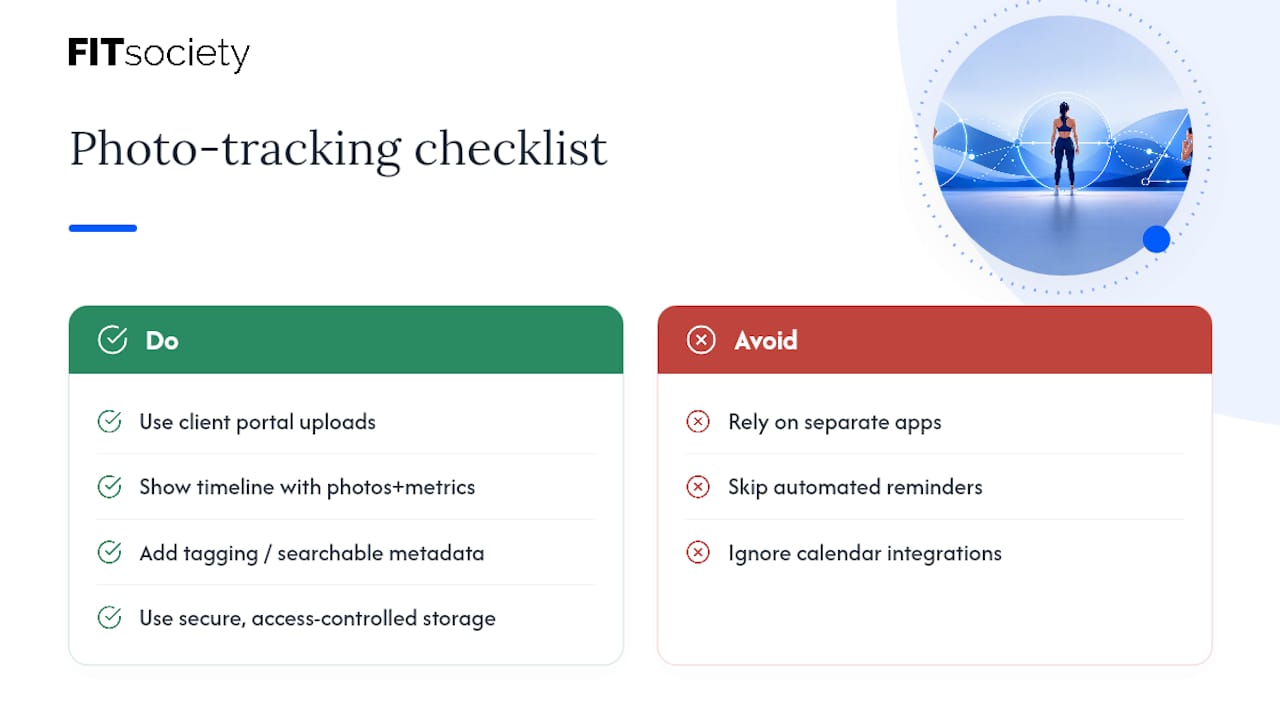
Before adopting any platform for photo tracking, evaluate it against a short list: does it support client portal uploads tied to profiles, a timeline view that places photos next to metrics, tagging or metadata for searchability, secure and access-controlled storage, and automated reminders for submissions? FITsociety also connects with Google Calendar and Microsoft Outlook/Microsoft 365, which matters when photo check-ins are scheduled around group bookings, online PT sessions, or one-to-one appointments rather than tracked as a separate task. Coaches building custom workflows can also work with FITsociety’s public API and MCP support for connected automations.
If your current setup is scattered across a photo app, a spreadsheet, and a booking tool, start by reviewing FITsociety’s full platform and its features for coaches and studios. Studios weighing a switch can also check the checklist for changing gym software without disrupting members and payments before making the move.
Sources
The workflows in this guide draw on coaching research covering tracking cadence, check-in structure, and photo-metric correlation from TrainersVault, Fitimyze, and Coach Lyfta. For platform-specific setup and current feature details, verify against FITsociety’s feature pages directly, since plan availability changes over time.
- Tracking Client Progress in Personal Training: Metrics That Matter | TrainersVault
FAQ
How Often Should Clients Submit Progress Photos?
Monthly formal photos under consistent lighting and angles are generally the most useful cadence, with optional weekly lightweight check-ins for clients who want more frequent feedback.
What Angles Should a Progress Photo Checklist Include?
Front-facing, side profile, and back view, taken at a fixed distance with neutral clothing and consistent lighting each time.
Should Coaches Store Client Photos in a Separate App?
No. Photos are more useful inside the same platform that holds training logs, check-ins, and measurements, so coaches can compare visual and objective data in one timeline. FITsociety builds progress tracking into the same dashboard as client check-ins and scheduling.
What Consent Should Coaches Get Before Collecting Photos?
Get explicit written consent at intake with a clear opt-out, and get separate permission before using any photo for marketing purposes.
Do Progress Photos Replace Measurements and Weigh-Ins?
No. Photos work best paired with circumference measurements, load progression, and adherence data, not as a standalone metric.



