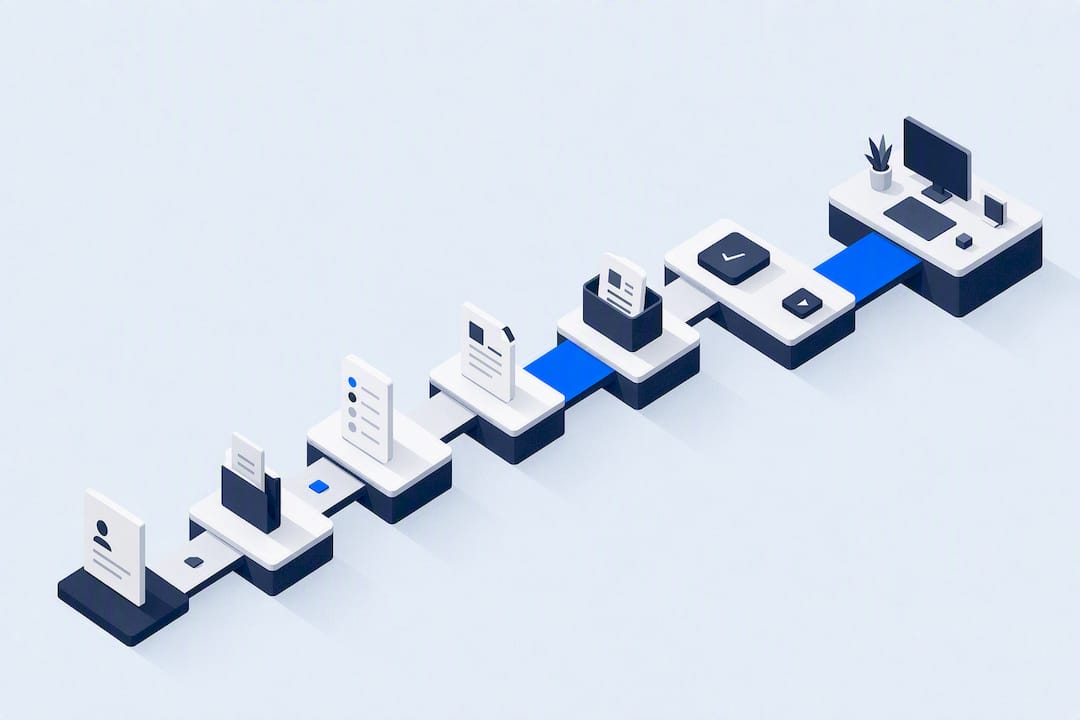
Delivering workouts to clients is a repeatable process: assess the client, build the plan, choose a delivery mode (in person, live video, or an asynchronous program), schedule sessions, collect feedback, and adjust. Software keeps those steps in one place, so the plan, the calendar and the client’s logs do not live in separate tools.
This guide covers each step, a template set, a comparison of delivery modes, and where coaching software fits.
TL;DR
- Start with intake: health history, exercise history and goals shape every plan.
- Pick a delivery mode per client: in person, live video, asynchronous, or hybrid.
- Put sessions on one shared calendar. Group classes, small-group sessions, one-to-one appointments and online PT need different booking rules.
- Close the loop: client logs, weekly check-ins, coach feedback, program updates.
- Stay inside professional scope. Confirm insurance and pre-screening for remote delivery.
Step 1: Assess before delivering anything
A workout is only deliverable once it fits the client. The NSCA’s guidance on the initial consultation says trainers should collect health-history and exercise-history information, set goals with the client, and use that data to design an individualized program.

What intake covers
The same NSCA source describes a health history form for surgeries, injuries, medications and family history, and a PAR-Q for current fitness level and past exercise experience.
Intake checklist:
- Health history: surgeries, injuries, medications, family history
- PAR-Q or equivalent pre-screening
- Exercise history: what the client has done, for how long, how recently
- Goals: specific, measurable, time-bound where possible
- Limitations: pain, mobility, equipment, schedule
- Logistics: location, days available, preferred delivery mode
Keep assessments relevant
Baseline assessments give a basis for goals and programs, and help identify potential injury areas and reasonable starting intensities and volumes. The same NSCA article notes that tests with little relevance to a client’s goals can damage the client’s trust. Test what the program will use.
Intake template
| Section | Fields | Why it matters |
|---|---|---|
| Contact and logistics | Name, time zone, location, equipment access | Sets delivery mode and session times |
| Health history | Surgeries, injuries, medications, family history | Flags exercises to modify or refer out |
| Pre-screening | PAR-Q result, physician clearance if flagged | Safety gate before the first session |
| Exercise history | Training age, recent activity, preferred styles | Sets starting volume and exercise selection |
| Goals | Primary goal, deadline, secondary goals | Drives program structure |
| Baseline | Relevant measurements and movement checks | Reference point for progress reviews |
| Consent | Scope of service, disclaimer, data handling | Documents expectations |
In FITsociety, intake forms and check-ups are part of the platform. Forms can be drafted with CoachAI and then reviewed and edited by the coach. The coach remains responsible for what the form asks and how answers are used.
Step 2: Build the plan around the client
A delivered plan has a clear structure. Use the same skeleton for every client, then customize.
Training plan template
| Field | Example entry |
|---|---|
| Phase | Weeks 1 to 4, foundation |
| Frequency | 3 sessions per week |
| Session | Day A: lower body, Day B: upper body, Day C: full body |
| Exercise | Goblet squat |
| Prescription | 3 sets of 8 to 10 reps, effort rating 6 to 7 out of 10 |
| Demonstration | Video link or written cues |
| Notes | Substitution if knee pain appears |
| Review date | End of week 4 |
Three habits keep plans deliverable:
- One page per session. The client should know what to do before opening the app.
- Every exercise has a demonstration or a cue. See the next section.
- Every phase has a review date.
Nutrition plans follow the same logic: targets, meal structure, recipes, and a review date. Coaches working in nutrition should stay inside their credentials and local rules.
FITsociety combines training plan creation, nutrition plans, progress tracking and daily habit logging, with CoachAI available for drafting training plans and recipes. Drafts are starting points. The coach decides what the client receives.
Step 3: Choose a delivery mode
The iPT encyclopedia describes three models of online coaching: asynchronous (the client follows a program and checks in), live video (real-time sessions), or hybrid. In-person coaching adds a fourth. The right mode depends on the client’s need for supervision, their experience, and their schedule.
| Mode | How workouts reach the client | Best for | Coach time | Main risk |
|---|---|---|---|---|
| In person, one-to-one | Live demonstration and spotting | Beginners, rehab-adjacent clients, technique focus | High per client | Scheduling limits |
| In person, small group | Shared session, scaled by client | Clients who like company, lower price point | Medium per client | Individual needs get diluted |
| Live video | Real-time session with verbal cues | Clients who need feedback on form without travel | High per client | Camera angle, space, connectivity |
| Asynchronous | Program with exercise videos and notes | Experienced, self-motivated clients | Low per session | Less built-in accountability |
| Hybrid | Program plus scheduled live check-ins | Most online clients | Medium | Needs a clear calendar and a clear log |
Delivering instructions that clients can follow
The iPT source lists the core tools: exercise videos and notes in online programs, live video with clear verbal cues, and written cues. Practical rules:
- Record each demonstration once, then reuse it across clients.
- Keep videos short. One movement, one video.
- Put the key cue in writing beside the video: setup, tempo, stopping point.
- Add one regression and one progression for each main lift.
- For live video, check the client’s camera angle and floor space before the first session.
Skill teaching
The NSCA’s fitness pedagogy paper recommends that trainers discuss after a workout what the client liked or disliked and which exercises were hardest, and praise correct actions and effort. That conversation works in person, over video, or as a written prompt in an app.
Step 4: Schedule sessions without double-booking
Delivery depends on the calendar. NSCA guidance says trainers can use scheduling programs or smartphone apps to share scheduled sessions and send reminders.
Different session types need different rules.
| Session type | Booking rule to set | Reminder timing to consider |
|---|---|---|
| One-to-one appointment | One client per slot, buffer between sessions | Day before and morning of |
| Small-group session | Capacity limit, waitlist, minimum to run | Day before, plus a cancellation cutoff |
| Group class | Recurring schedule, capacity, instructor | Day before, with membership check |
| Online PT | Video link attached to the booking, time zone shown | Hour before, with link |
One calendar for solo coaches and teams
The booking calendar is a central strength of FITsociety. It covers group classes, small-group sessions, one-to-one appointments and online PT in a single place. Teams use it to coordinate who coaches what, while each coach keeps client coaching (plans, check-ins, messages) in the same environment.
For coaches who already live in another calendar, FITsociety offers Google Calendar and Microsoft Outlook/Microsoft 365 integrations. Before relying on them, run one test booking and confirm how it appears on both sides: new bookings, reschedules and cancellations. Check the current setup steps and plan availability on the FITsociety site rather than assuming them.
Scheduling checklist
- Define each session type and its capacity
- Set working hours per coach and per location
- Set cancellation and rescheduling rules before the first booking
- Connect an external calendar and test one booking
- Enable reminders
- Show time zones for online clients
- Link bookings to memberships or packages so sessions are counted
Step 5: Communicate before and after every workout
The NSCA says trainers should communicate professionally in person and through email and text, and keep digital records of exercises, sets, repetitions, weights and client goals. Keep messages inside the coaching platform where possible, so the record stays attached to the client.
Before the workout
- Confirm time and location or video link
- Remind the client of what to bring: equipment, water, notes from last session
- Ask for a quick readiness note: sleep, soreness, pain
After the workout
- Client logs sets, loads, repetitions, effort and notes
- Coach reviews the log
- Coach replies with specific feedback
- Coach flags any change for the next session
The iPT source describes the loop for online clients: they log sessions, loads, repetitions, effort and notes, and trainers review weekly check-ins, give feedback and update programs.
Weekly check-in template
| Question | Format |
|---|---|
| Sessions completed this week | Number out of planned |
| Hardest exercise | Short text |
| Effort on main lifts | Scale of 1 to 10 |
| Pain or discomfort | Yes or no, with location |
| Sleep and energy | Scale of 1 to 5 |
| Habit completion | Checklist |
| Question for the coach | Short text |
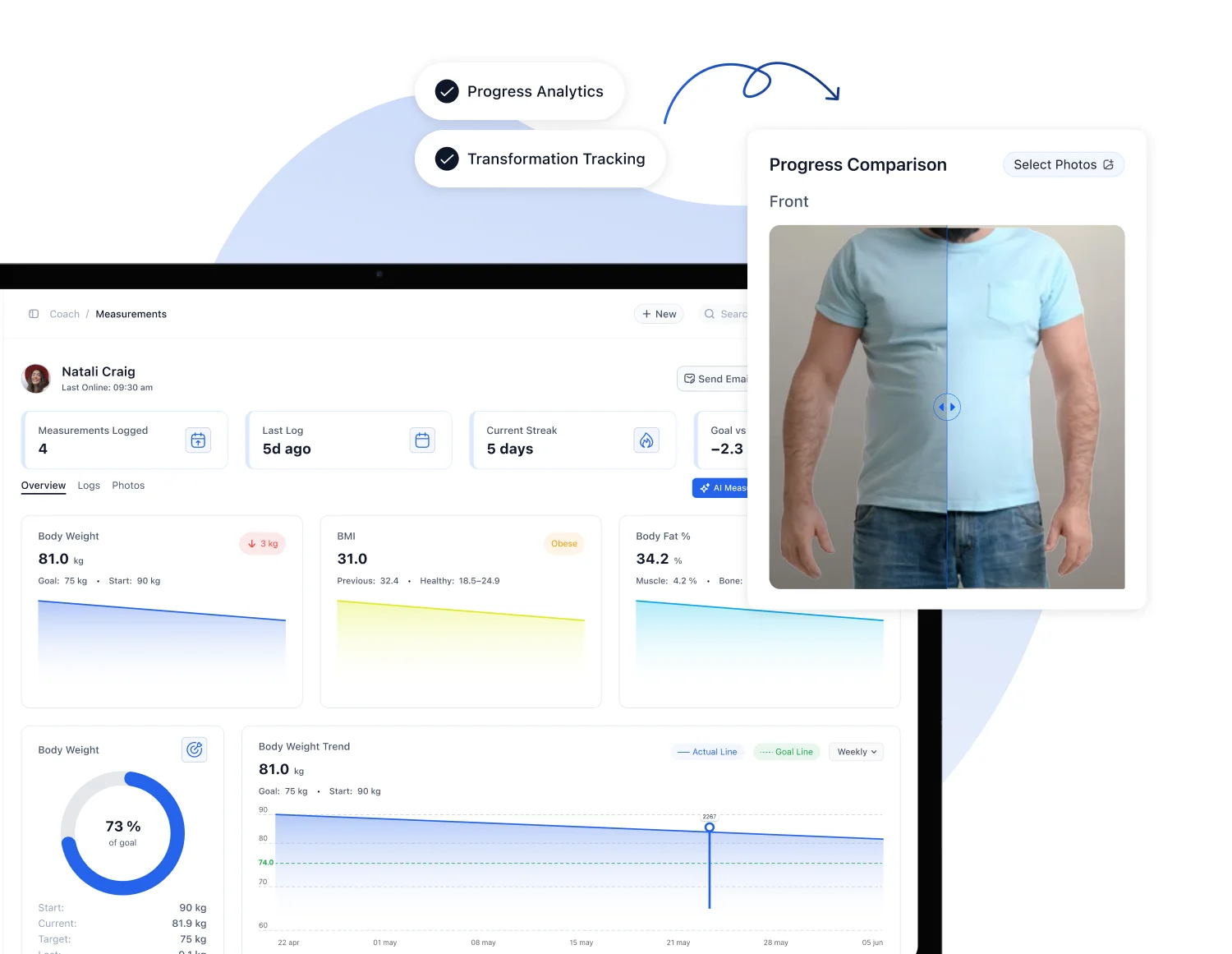
FITsociety supports automated check-ins and reminders, progress and measurement tracking, daily habit logging and in-platform chat. Clients use a portal and mobile apps. Coaches use a dashboard.
Step 6: Keep clients accountable and adjust
Online clients have less built-in accountability than in-person clients. The iPT source concludes that structured check-ins and prompt replies matter. The tools do not replace the coach. An ACSM article on mobile health technology states that technology alone cannot drive behavior change, and that success depends on thoughtful program design, collaboration with end users, and removing cost and access barriers.
Adjustment triggers
| Signal | Response |
|---|---|
| Two or more missed sessions | Message within a day, ask what changed, shorten the plan if needed |
| Effort ratings consistently too high | Reduce volume or load for the next block |
| Effort ratings consistently too low | Progress load or complexity |
| New pain or injury report | Pause affected movements, refer to a qualified clinician when appropriate |
| Travel or schedule change | Swap to a minimal-equipment session or a different delivery mode |
| Goal change | Return to intake, update goals, rebuild the phase |
Personal trainers are also expected to respond to symptoms of overtraining, overuse injuries and temperature-induced illness, so build those questions into the check-in.
Step 7: Stay inside scope, insurance and privacy
Remote delivery adds responsibilities. A UK professional standard from CIMSPA states that trainers must work within their professional scope, hold valid insurance for online sessions, and handle participant information in line with GDPR. It also expects a disclaimer, suitable pre-screening, and a safe environment free of hazards. That document applies to the United Kingdom. Coaches in the US should check requirements from their own insurer, state and certifying body.
Practical safety steps:
- Confirm with the insurer what cover applies to online delivery. The CIMSPA standard says practitioners should hold Public Liability and Professional Indemnity insurance and check how it applies online.
- Send the pre-screening form before the first session.
- Ask online clients to describe their training space and clear it of hazards.
- Do not give medical or diagnostic advice. Refer out.
- Store client data in one system with controlled access.
FITsociety provides the software. Fitness professionals deliver the coaching and remain responsible for their decisions, including scope, screening and insurance.
Where software fits
A typical stack for delivering workouts has many parts: a form tool, a spreadsheet or plan builder, a video host, a calendar, a messaging app, an invoicing tool and a spreadsheet for progress. All-in-one coaching platforms replace several of these. The trade-off to evaluate is simple: fewer logins and one client record, against the depth of each separate tool.
What to check when evaluating any platform:
- Plan builder: reusable templates, video demonstrations, notes per exercise
- Client app: logging, reminders, chat
- Calendar: group, small-group, one-to-one and online sessions; external calendar sync
- Payments: memberships, packages, recurring billing
- Progress: measurements, habits, check-ins
- Team features: roles, permissions, multiple coaches or locations
- Branding: how the client-facing app looks
- Connectivity: API and automation options
FITsociety at a glance
FITsociety is community-driven fitness software for personal trainers, online coaches, fitness studios and gyms. It is actively developed with input from fitness professionals. Feedback shapes ongoing improvements, though not every request is built.
| Area | Capability |
|---|---|
| Clients and members | Administration, intake forms, check-ups |
| Coaching | Training and nutrition plans, progress tracking, habits, chat |
| Scheduling | Booking calendar for group classes, small-group sessions, one-to-one appointments and online PT |
| Calendar integrations | Google Calendar, Microsoft Outlook/Microsoft 365 |
| Business | Memberships, payments, webshop tools for memberships and sessions |
| AI | CoachAI for drafting training plans, forms, recipes and news |
| Connectivity | Public API and MCP support for connected coaching workflows |
| Interfaces | Coach dashboard, client portal, mobile apps |
The public API and MCP support suit coaches who connect FITsociety with other tools. Confirm endpoints, permissions and plan access before building anything.
Plans
FITsociety lists three plans: Coach at 179 EUR per month, Team at 289 EUR per month and Club at 489 EUR per month. Coach suits independent trainers and online coaches. Team suits coaching teams and studios. Club suits gyms and larger operations. Compare limits and included features, and start from the FITsociety site.
A weekly delivery routine
A simple rhythm keeps delivery consistent for a solo coach.
| Day | Task |
|---|---|
| Monday | Review weekend logs, send new week’s plans |
| Tuesday to Friday | Run sessions, reply to logs within a set window |
| Friday | Review check-ins, flag clients who need changes |
| Weekend | Clients train and log, automated reminders run |
| Monthly | Review progress, update goals, rebuild the next phase |
Set a reply window, such as one business day, and tell clients about it. Predictable replies matter more than instant ones.
FAQ
What is the best way to deliver workouts to online clients?
Hybrid delivery suits most clients: a written program with exercise videos, plus scheduled live check-ins. Asynchronous delivery works for experienced clients. Live video suits clients who need real-time technique feedback.
What should a workout delivery include?
Each session needs exercises, sets, repetitions or time, an effort target, a demonstration or written cue, and a notes field. Add a review date for the phase. Keep it to what the client can read in a minute.
Can one calendar handle group classes and one-to-one sessions?
Yes, if the calendar supports different session types with their own capacity and cancellation rules. FITsociety’s booking calendar covers group classes, small-group sessions, one-to-one appointments and online PT. It also offers Google Calendar and Outlook/Microsoft 365 integrations. Test a booking before rolling out.
How often should coaches check in with online clients?
Weekly structured check-ins are a common standard, with prompt replies between them. Adjust frequency to the client’s experience and risk. New clients and clients returning from injury may need more contact.
Do coaches need insurance for online sessions?
Coaches should confirm with their insurer what covers online delivery. A UK professional standard from CIMSPA calls for valid public liability and professional indemnity insurance. US coaches should check their own insurer and state requirements.
Sources
- NSCA Personal Training Quarterly 5.1: Back to Basics, 3 Steps of the Initial Consultation
- NSCA: Purposes of Assessment
- NSCA: Teaching for Skill Acquisition in Fitness
- NSCA-Certified Personal Trainer Job Task Analysis Summary 2025
- ACSM: Personalized Fitness Plans via Mobile Health Technology
- CIMSPA: Delivering Sport and Physical Activity
- iPT: Delivering Online Coaching Sessions