
The best setup for most trainers is a book and pay flow: clients pay when they book, through a hosted checkout or payment link, with a mobile card reader on hand for in-person sessions. This protects your cash flow because sessions get paid before they happen, and it keeps you out of most PCI compliance headaches since you never touch raw card data. Test the full flow yourself, booking through refund, before you send it to a single client.
TL;DR:
- Payment links and hosted checkout pages are ideal for remote clients and online packages, offering quick, secure, and recurring billing options without handling raw card data.
- Mobile card readers are best suited for in-person sessions but can delay deposits by one to two days, so coaches should plan cash flow accordingly.
- Setting clear policies on cancellations and refunds ahead of time, and processing refunds through the original payment method promptly, greatly reduces disputes and chargebacks.
- PCI compliance is simplified by using hosted payment pages and avoiding storage of card data, but trainers must still follow basic security practices like separate networks and staff training.
- International clients require supporting multi-currency payments and understanding cross-border fees, with online checkout platforms typically offering better handling of foreign transactions than manual invoices.
Which Payment Methods Work Best for Personal Trainers?
Every trainer ends up mixing methods, but the mix should be deliberate, not accidental. Here’s how the main options stack up in practice.
Mobile card readers make sense when most of your sessions happen face to face. A reader from a processor like Square or Stripe lets you swipe, tap, or accept contactless payment right at the gym or the client’s living room. The tradeoff is timing: card-present transactions typically settle in one to two business days, so if you’re running tight on cash flow between sessions, factor that lag into your planning. Deposits taken at booking help smooth this out, since you’re not waiting on the payment to clear before you’ve locked in the appointment.
Payment links and hosted checkout pages are the better fit for remote clients, online coaching packages, or one-off sessions you don’t want to chase down later. Stripe’s payment links let you accept money through a hosted page without writing any code, and they can surface local payment methods automatically depending on where the client is located. Drop a QR code on a printed receipt or in a text message, and the client pays without you ever seeing their card number. These pages also support recurring subscriptions, not just one-time charges, which matters if you’re billing monthly packages.
Invoices and bank transfers suit corporate wellness contracts, gym partnerships, or any client relationship that runs on a purchase order rather than a swipe. They’re slower. Expect payment terms of net 15 or net 30 rather than instant settlement, so this method works best when you have enough other revenue that you’re not relying on that invoice to make rent. It’s the right tool for contract work, not for a weekly one-on-one client.
Cash still shows up occasionally, especially with long-time clients who prefer it. Accept it if you want, but document every transaction the same day, ideally with a simple receipt, and reconcile it against your calendar so you’re not relying on memory at tax time.
Recurring billing and session packs deserve special attention because they solve the most common admin problem trainers face: chasing payment. Rather than invoicing every week, automate a subscription for ongoing clients or sell a block of ten sessions and let the system deduct credits automatically. Trainerize’s guide on payment solutions notes that tying payment directly to booking, so the appointment doesn’t confirm until payment clears, cuts down on no-shows and the awkward follow-up texts asking where the money is.
A quick summary of when each method earns its place:
- Mobile card reader: best for in-person, walk-in, or studio clients paying per session.
- Payment link or hosted checkout: best for remote coaching, online packages, and one-off bookings.
- Invoice and bank transfer: best for corporate contracts and enterprise wellness deals.
- Cash: acceptable occasionally, but document and reconcile same-day.
- Recurring billing or session packs: best for ongoing clients and monthly memberships.
Fee structures and payout timing vary by processor, and that variation matters more than most trainers expect. Some platforms charge lower rates for in-person swipes but higher fees for recurring online billing, while others hold funds longer for new accounts. According to a comparison of Stripe, PayPal, and Square for fitness businesses, the right primary processor depends on whether your business leans toward in-person capture, recurring billing, or fast invoice links. Pick one primary method that matches your actual client mix, then add a second only if clients specifically ask for it.
What Security and PCI Rules Apply to Small Trainers?
PCI DSS (Payment Card Industry Data Security Standard) governs how anyone accepting card payments handles cardholder data, and yes, it applies to a solo trainer just as much as a national gym chain. The good news: the compliance burden shrinks dramatically the moment you stop touching card numbers yourself.
The PCI Security Standards Council’s small merchant guide recommends outsourcing payment processing to a validated third party through hosted payment pages, which keeps your PCI scope to a minimum because sensitive data never reaches your website, spreadsheet, or inbox. A fully hosted, redirecting checkout page or embedded iframe generally qualifies for the simplest compliance category available to small merchants, known as SAQ A, since the trainer’s own systems never see raw card data.
Three practical steps cover most of what a small training business needs:
- Never store card numbers in a spreadsheet, text thread, or notebook. Use tokenization or a validated payment application if you need to keep any payment reference on file, per PCI’s e-commerce guidelines.
- Keep your payment terminal or card reader on a separate network from any guest Wi-Fi you offer clients.
- Walk any staff or assistant coaches through what they can and cannot do with a client’s card information, even informally.
Disputes and holds are easier to manage when you’ve set expectations up front. Show your cancellation and refund policy clearly at the point of booking, before payment, so there’s no ambiguity if a client disputes a charge later. A visible policy at checkout does more to prevent chargebacks than any amount of after-the-fact explaining.
Pro Tip: If you’re processing a high volume of transactions, storing card data for any reason, or setting up custom card-present hardware beyond a standard mobile reader, talk to your acquiring bank or a Qualified Security Assessor before you launch. Most solo and small-team trainers never need this step, but it’s worth a five-minute call if your setup gets more complex than reader-plus-hosted-checkout.
How Do You Set Up a Payment Workflow Step by Step?
Choosing the right setup starts with three questions: How many clients pay per session versus on a recurring plan? Do you need your payment system talking to your calendar? And how sensitive are your margins to processing fees? A trainer running mostly monthly memberships needs recurring billing and calendar sync more than a mobile reader. A trainer doing occasional pop-up sessions at a park needs the reader more than a subscription engine.
Once you know your mix, the implementation itself follows a fairly standard sequence; if you want to grow your client base and ensure payment flows scale smoothly, consider exploring Gym SEO Services to enhance your visibility and memberships.
- Register a business account with your chosen payment processor and connect your bank account for payouts.
- Order a mobile card reader if you take any in-person payments, and enable hosted checkout or payment links for remote and online clients.
- Build out your services and pricing in the system, including any session packs or subscription tiers.
- Embed payment links on your booking page or enable a payment-required booking flow so sessions don’t confirm until payment clears.
- Run a full test booking yourself, including a mock refund, before sending the link to a real client.
Before you go live, prepare a few operational templates so you’re not improvising later: a written cancellation policy, a method for tracking session-pack balances, standard receipt wording, and a recurring weekly task to reconcile payouts against your calendar.
| Setup element | What to prepare | Why it matters |
|---|---|---|
| Cancellation policy | Written terms shown at booking | Reduces disputes and chargebacks |
| Session-pack tracking | Automated credit deduction per booking | Avoids manual counting errors |
| Receipt wording | Standard template with service, date, amount | Speeds up tax-time bookkeeping |
| Weekly reconciliation | Ledger with date, client, processor reference, payout, fees | Catches timing mismatches early |
That reconciliation habit matters more than it sounds like it should. A simple ledger with columns for date, client, service, processor reference, payout date, and fees prevents most of the disputes that come from timing mismatches between when a client paid and when the payout actually landed in your account.
Once the workflow is running, monitoring is mostly about watching two numbers: your payout timing (are funds landing when the processor promised?) and your chargeback rate (is it climbing?). If clients start asking for a payment option you don’t offer, whether that’s a specific wallet or a different processor, add it only once the demand is real rather than guessing in advance.
How Should You Handle Refunds and Cancellations?
A clear policy shown before payment, not after a dispute, is what actually prevents most refund headaches. Decide your rules in advance: how many hours of notice you require for a free cancellation, whether a late cancellation forfeits the session or the payment, and how you handle a genuine emergency versus a habitual no-show.
Write the policy in plain language and display it at the point of booking, not buried in a separate document a client has to go dig up. Something like “cancellations with less than 24 hours’ notice forfeit the session” is short enough to read in five seconds and specific enough to hold up if a client pushes back.
When a refund is warranted, process it through the same method the client paid with, and do it promptly. Processors typically log refunds against the original transaction automatically, which keeps your books clean and avoids the confusion of trying to reconcile a refund that shows up as a separate, unrelated entry. For session packs, decide upfront whether a refunded session returns as a credit or as cash back, and apply that rule consistently across every client so nobody feels like they got a worse deal than someone else.
Document every refund and cancellation, even informal ones, in whatever system tracks your bookings. That record becomes valuable if a client disputes a charge with their card issuer months later, since you’ll have a timestamped policy and a paper trail showing you followed it.
How Do You Manage Taxes on Payments You Receive?
Every dollar a client pays you, whether it lands as cash, a card swipe, or a bank transfer, counts as business income and needs to show up in your records. The specific tax treatment (self-employment tax, sales tax on services, quarterly estimated payments) depends on your business structure and the tax rules in your jurisdiction, so this is genuinely a case where a licensed tax professional in your area is worth the consultation fee before you file.
What you can control regardless of location is your recordkeeping. Every processor generates a transaction history, but that history rarely maps cleanly to “how much did I actually earn this month after fees.” Processing fees are a real cost of doing business and are typically deductible, but only if you’re tracking them separately from gross revenue rather than just looking at what hit your bank account.
The weekly reconciliation habit mentioned earlier pays off doubly here. A ledger that already tracks date, client, service, processor reference, and fees gives you, or your accountant, exactly what’s needed to separate gross receipts from net income at tax time, without a scramble in March. If you accept cash occasionally, that same discipline matters even more, since cash has no processor record to fall back on if you forget to log it.
Keep your business payment account separate from your personal spending. Mixing the two is the single most common reason self-employed trainers end up spending extra hours (or extra accountant fees) untangling their own books.
What Do You Need to Know About International Client Payments?
If you coach clients outside your home country, whether through online programming or a hybrid in-person and remote practice, currency conversion and cross-border fees become part of your setup, not an afterthought. Hosted checkout pages generally handle this better than a manual invoice, since they can detect the client’s location and present locally relevant payment methods and currency automatically.
Card networks and processors typically apply a currency conversion fee on top of standard processing rates when a client pays in a currency different from your payout currency. That fee varies by processor, so if a meaningful share of your client base is international, it’s worth checking your specific processor’s cross-border rate rather than assuming it matches your domestic pricing.
Payout timing can also stretch longer for international transactions, so build in extra buffer if you’re relying on that revenue for near-term expenses. A payment link that supports multiple currencies and a range of local payment methods reduces friction for the client on their end, which matters because an international client abandoning checkout over an unfamiliar payment flow is a lost booking, not just a delayed one.
If international clients are a small, occasional part of your business, you likely don’t need a specialized setup. If they’re a growing share, it’s worth confirming your processor explicitly supports the currencies and payment methods common in those regions before you start marketing there.
How Do You Protect Client Data and Stay Compliant?
Payment information is only part of what you’re responsible for protecting. Client intake forms, health history, contact details, and progress data all carry their own privacy expectations, and the habits that protect card data (minimizing what you store, using systems built for it rather than spreadsheets) apply here too.
Store client information in a system designed for it rather than scattered across email threads, text messages, and personal notes apps. If you use online forms for intake or health questionnaires, confirm the platform encrypts data in transit and at rest, and avoid asking for more sensitive information than you actually need for coaching purposes.
Access matters as much as storage. If you work with other coaches or assistants, limit who can see full client payment and health records to only the people who genuinely need that access for their role. A shared login used by everyone on your team is a common weak point that’s easy to fix with individual accounts and permission levels.
Be transparent with clients about what you collect and why, even informally. A short note in your intake process explaining that you use a secure booking and payment platform, and that card details are never stored on your own devices, builds trust and heads off the kind of questions that turn into disputes later.
How FITsociety Brings Booking and Payments Together
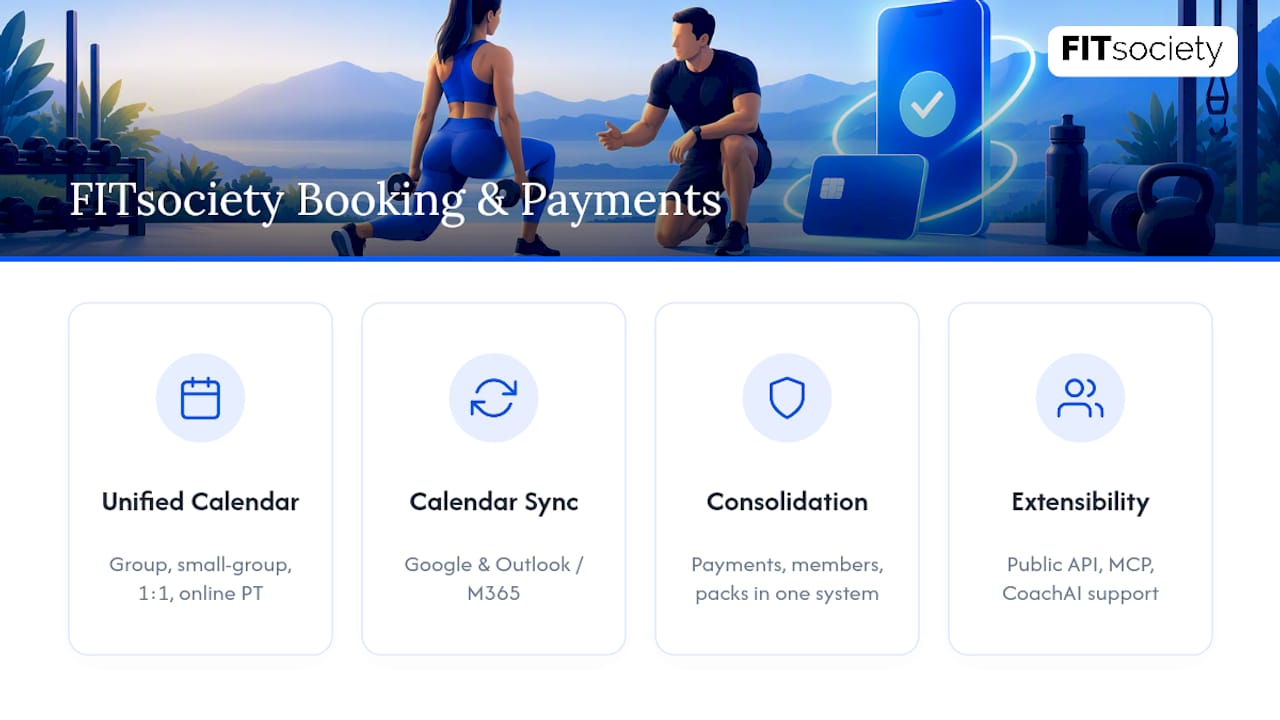
FITsociety is community-driven fitness software built with input from personal trainers, online coaches, and small teams, and its coaching tools connect directly to the booking and payment workflow described throughout this guide. The booking calendar handles group classes, small-group sessions, one-to-one appointments, and online PT from a single dashboard, with Google Calendar and Microsoft Outlook/Microsoft 365 integrations so your schedule stays in sync without manual double-entry.
Because member management, subscription handling, session-pack tracking, and hosted payment processing live in one system rather than three or four disconnected tools, you cut down on the administrative overhead of reconciling a booking app against a separate payment processor against a spreadsheet of session credits. That consolidation also lowers your own PCI exposure, since payments run through integrated hosted processing rather than a patchwork of manual invoices and card details passed around by hand.
A public API and MCP (Model Context Protocol) support are available for coaches who want to connect FITsociety to other tools in their workflow, and CoachAI can assist with drafting training plans, intake forms, and client communication alongside the payment and booking side of the business.
FITsociety offers tiered subscription plans that vary by features, number of clients, and team members. Visit FITsociety’s website for current pricing and plan details. Before switching, check the migration checklist for moving payments and members without disrupting your current clients, and review the coaching features to see how the platform handles recurring billing and session-pack automation in practice. Visit FITsociety to explore current plan details and start a trial.
Sources
The claims in this guide draw on primary documentation rather than general industry chatter, and it’s worth checking these directly before you finalize your own setup:
- PCI Security Standards Council — Small Merchant Guide to Safe Payments
- Stripe — Payment links
- LaunchAdvisor — Stripe vs PayPal vs Square for fitness
FAQ
How much should you expect to pay a personal trainer?
Rates vary widely by location, trainer experience, and session length, so there’s no single national figure that holds true everywhere. Independent trainers typically set pricing based on their local market, certifications, and whether sessions are one-on-one or small-group.
What is the average monthly cost of a personal trainer?
Monthly cost depends entirely on session frequency and the trainer’s per-session rate, which varies by region and specialization. A client booking twice weekly will pay roughly double what someone booking once weekly pays at the same per-session rate, which is part of why session-pack and subscription billing, like the recurring options built into platforms such as FITsociety, help both trainer and client see costs clearly upfront.
How much is a 30-minute personal training session?
Pricing for shorter sessions generally scales down from a trainer’s standard hourly rate rather than being a fixed universal number, and it varies by market and trainer experience. Check with trainers in your specific area for accurate local pricing.
Can I get my insurance to pay for a personal trainer?
Some health insurance plans and wellness programs offer partial reimbursement or credits toward fitness services, but coverage depends entirely on your specific plan and provider. Contact your insurance provider directly to ask about wellness benefits or fitness reimbursement programs before assuming any personal training expense will be covered.



