

Use a copy-ready invoice template, send it within 24 hours of the session or at the start of a prepaid package, and offer ACH or a payment link for the fastest turnaround. Fill in your invoice number, due date, payment link, and cancellation line before you send it. This one habit, sending fast instead of batching invoices whenever you get around to it, is what actually increases collection rates for independent trainers.
TL;DR:
- Sending invoices within 24 hours of each session or at the start of a prepaid package significantly increases collection rates for trainers.
- Using specific invoice templates in Word, Excel, or PDF tailored for single, batch, or final payments simplifies billing and reduces errors.
- Including essential fields such as invoice number, session details, payment link, and cancellation policy ensures clear records and smoother payments.
- Billing should align with session frequency: weekly or monthly for recurring clients and upfront for packages, with a defined workflow to ensure timely payment.
- Limiting payment methods to ACH, card, or mobile wallets and setting reminders on days 3, 7, and 14 helps prevent late payments and disputes.
Downloadable Personal Trainer Invoicing Templates You Can Use Today
Grab a template, drop in your rates, and send it. That’s the whole point of a template built specifically for personal trainer invoicing: no formatting, no guesswork.
Trainers generally need three formats depending on how they work:
- Word or Google Docs for one-off invoices you’ll tweak by hand for each client.
- Excel or Google Sheets for batch invoicing, especially if you bill several clients on the same day and want formulas to auto-calculate totals.
- PDF for the final version you actually send, since it can’t be accidentally edited by the client.
| Format | Best use case | Editable? |
|---|---|---|
| Word/Google Docs | Single custom invoices | Yes |
| Excel/Google Sheets | Batch invoicing, recurring clients | Yes, with formulas |
| Final send-out copy | No (locked) |
Before you send the first one, run through this quick setup checklist:
- Add your business name and logo to the header.
- Set your invoice numbering scheme (more on that below).
- Edit the line items to match the actual sessions delivered.
- Insert your payment link or payment instructions.
- Add your cancellation and late-fee policy at the bottom.
What Fields Belong on a Personal Trainer Invoice?
Every invoice needs a specific set of fields to hold up for your records, your client’s records, and your accountant. At minimum, a personal training invoice should include a unique invoice number, issue date, due date, an itemized list of sessions, subtotal, and payment instructions.
Break the invoice into these sections:
- Header: your business name, contact info, client name, invoice number, issue date, due date.
- Line items: date of each session, session type (1:1, small group, or virtual), rate per session, quantity, and line total.
- Totals: subtotal, any package discount or credit applied, sales tax if your state or service requires it, and the grand total due.
- Terms: accepted payment methods, payment instructions or a payment link, a late-fee clause, and your cancellation policy in one line.
For numbering, keep it simple. A sequential scheme like 2026-001 scales cleanly as your client list grows and makes year-over-year bookkeeping far easier to sort.
How Often Should You Bill Clients?
Your billing cadence depends on how you structure sessions, not just personal preference. Per-session billing works for trainers with irregular schedules, but it means more invoices and more chances for something to slip. Weekly or monthly billing suits trainers with steady, recurring clients. Package billing, paid upfront for a block of sessions, works best for new clients or anyone booking a program with a defined end date.
A repeatable workflow removes the guesswork, which is crucial for growing memberships with Gym SEO Services:
- Get a signed client agreement before the first session, including your cancellation terms.
- Pick a cadence: per-session, weekly, monthly, or package.
- Send the invoice within 24 hours of the session, or at the start of the package.
- Accept payment through your chosen method.
- Follow up on a set schedule if payment doesn’t come through.
This five-step sequence is what most invoicing guides for trainers converge on, because each step closes a gap where payments typically stall. In practice, that might look like batch invoicing every Friday for the week’s sessions, or setting up recurring ACH charges for members on a monthly plan.
Which Payment Methods Should Trainers Accept?
Stick to two or three payment rails rather than trying to support everything. Most trainers do well accepting one low-fee option for recurring clients, one card option for convenience, and a mobile wallet for one-off payments.
- ACH bank transfer: the cheapest option for recurring charges like memberships, though it can take a day or two to clear.
- Credit or debit card: faster and more convenient for clients, but processors typically charge a higher percentage fee per transaction.
- Mobile wallets (Apple Pay, Google Pay): frictionless for one-off session payments, especially when a client is paying from their phone right after a workout.
- Payment links: a single checkout URL you can text or DM, which works across any device and returns an instant receipt.
ACH is often the lower-fee option for recurring payments, while cards win on convenience for clients who pay once and move on. Comparing processor fees before you commit to one rail can save real money over a year of monthly memberships.
List your accepted methods clearly near the bottom of the invoice, right above your payment instructions, so clients don’t have to ask.
When Should You Send Reminders for Late Payments?
A predictable reminder schedule keeps you from either chasing too aggressively or letting invoices go stale. Most trainers follow a simple cadence: a friendly nudge on day 3, a firmer reminder on day 7 that mentions the late fee, and a pause-on-services notice by day 14.
- Day 3 (friendly): “Hi [name], just a quick reminder that invoice #[number] for $[amount] is due. Let me know if you have questions!”
- Day 7 (firmer): “Hi [name], invoice #[number] is now a week past due. A late fee of [amount/percent] applies per our agreement. Please send payment by [date].”
- Day 14 (final): “Hi [name], invoice #[number] remains unpaid after two reminders. I’ll need to pause upcoming sessions until this is settled.”
A short written client agreement that includes cancellation terms is the strongest defense against disputes over no-shows and late payments, because it sets expectations before money is ever on the line.
If a client goes silent past day 14, pausing services is reasonable. Escalating to small claims only makes sense for larger unpaid balances where the time and filing fee are worth it.
What Bookkeeping Should Trainers Do for Taxes?
Organized invoices double as your tax records if you file them correctly. Save invoices by year and by client, and match each one to its corresponding payment receipt.
- Reconcile your invoices against bank deposits monthly, not just at tax time.
- Open a dedicated business bank account. Mixing personal payment apps with business income complicates bookkeeping and makes tax prep slower.
- Set aside roughly a portion of income for taxes as a general guideline, then adjust with your accountant based on your actual bracket.
- Export invoices as CSV or PDF batches by quarter. Most accountants want totals by category, not a stack of individual files.
Invoicing Mistakes That Cost Trainers Money
The most common error is simply invoicing too late, days or weeks after a session, which delays payment and makes clients forget what they owe for. A close second: using personal payment apps for business income, which muddies your books and complicates deductions later.
Other frequent mistakes include skipping a written cancellation policy (leaving no-shows to arguments) and never setting up recurring billing for memberships, which means manually re-invoicing the same client every single month.
Fix these with a few habits: number invoices sequentially, put your cancellation clause on every single invoice (not just the client agreement), pick one day a week for batch invoicing, and require a deposit from new clients before the first session.
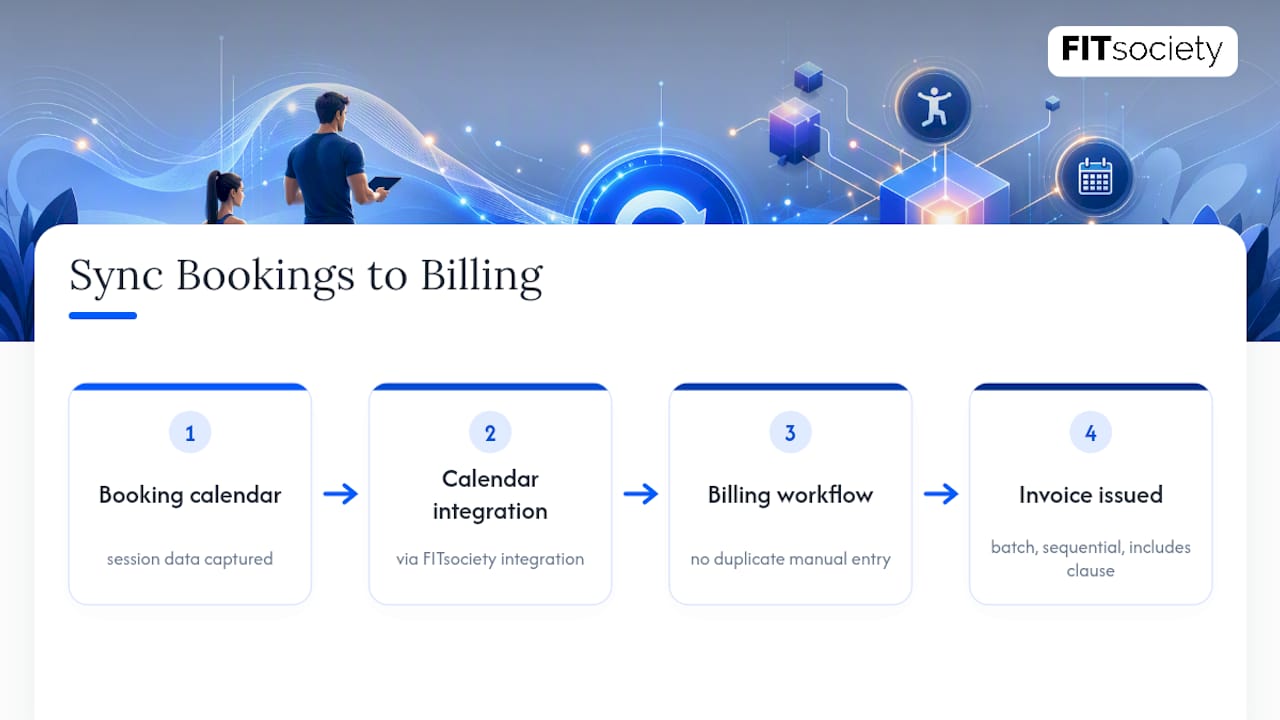
Pro Tip: If your booking calendar and your invoicing live in separate tools, you’re re-entering the same session data twice. Syncing bookings directly to your billing workflow, something FITsociety supports through its calendar integrations, cuts that duplicate work out entirely.
Let FITsociety Handle Bookings, Memberships, and Payments Together
Templates and reminder scripts solve the manual side of invoicing, but at some point, re-typing the same session data into a spreadsheet every week stops making sense. FITsociety is community-driven software built for personal trainers, online coaches, and fitness studios, combining bookings, memberships, and payments into one dashboard instead of three disconnected tools.
The booking calendar handles group classes, small-group sessions, one-to-one appointments, and online PT, and it syncs with Google Calendar and Microsoft Outlook/Microsoft 365 so your schedule and your billing stay lined up. Recurring memberships can be set up once and billed automatically instead of manually re-invoiced each cycle. For teams and developers, FITsociety also offers a public API and MCP support for connecting coaching workflows to other tools.
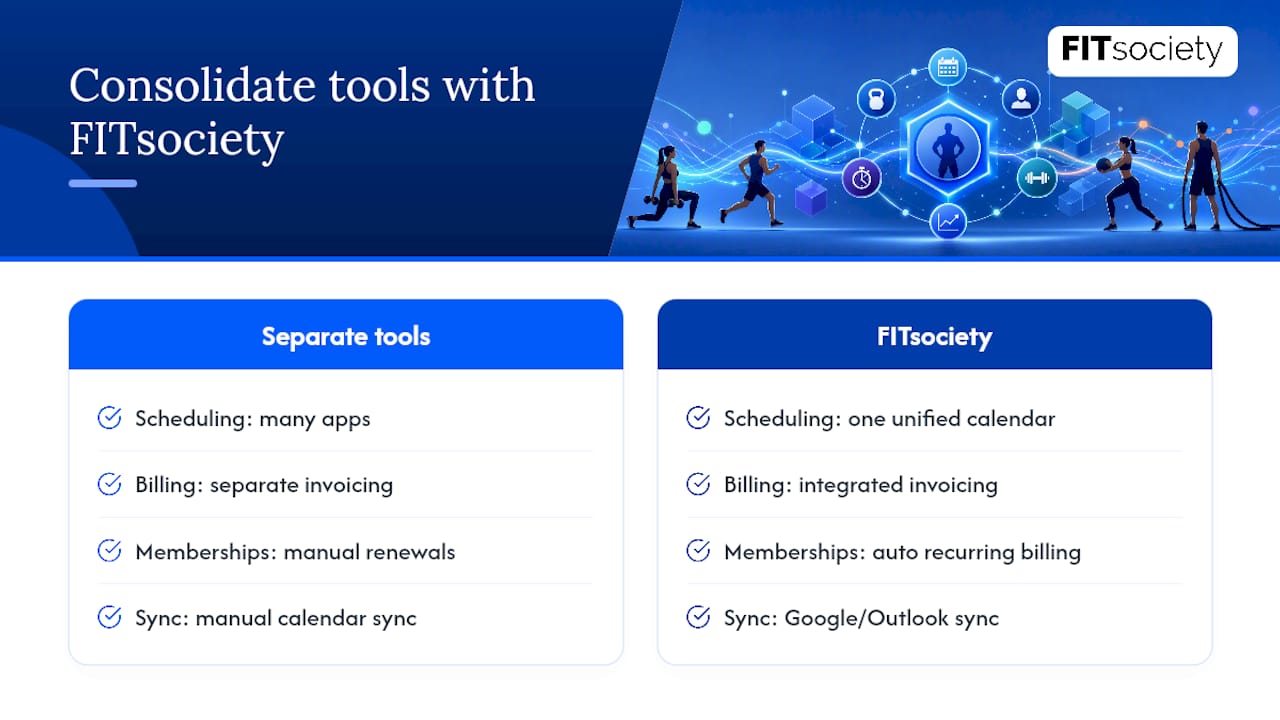
If you’re still stitching together a scheduling app, a separate invoicing tool, and a spreadsheet for payment tracking, it’s worth seeing what consolidating that into one platform looks like. Check current plans and pricing to see which tier fits your client list.
Sources
- Personal Trainer Invoice Template - Free Download
- Invoice Template for Personal Trainers: Templates, Guides, and How-To | Novo
- Personal Trainer Invoicing: How to Bill Clients and Track Expenses
- How personal trainers get paid — payment method pros/cons and use-cases
FAQ
Can You Write Off a Personal Trainer as a Business Expense?
If you’re hiring a personal trainer purely for personal fitness, it generally isn’t deductible. If you’re a trainer running your own business, your own operating costs, like software, equipment, and payment processing fees, typically are deductible; check with an accountant for your specific situation.
What Should a Personal Trainer Charge?
Rates vary widely by location, certification, and session type, so there’s no single standard number. Base your rate on your local market, your specialization, and whether the session is one-on-one, small group, or virtual.
What Expenses Can I Claim as a Personal Trainer?
Common deductible expenses include software subscriptions, liability insurance, certifications and continuing education, equipment, and a portion of your business-related travel. Keep receipts matched to your invoices so an accountant can verify each claim at tax time.
How Much Is a 1-Hour PT Session?
Pricing for a one-hour session depends heavily on location, trainer experience, and whether it’s in-person or virtual, so it ranges widely across markets. Setting your rate based on itemized session invoices, rather than a flat guess, makes it easier to track what you’re actually charging over time.



